
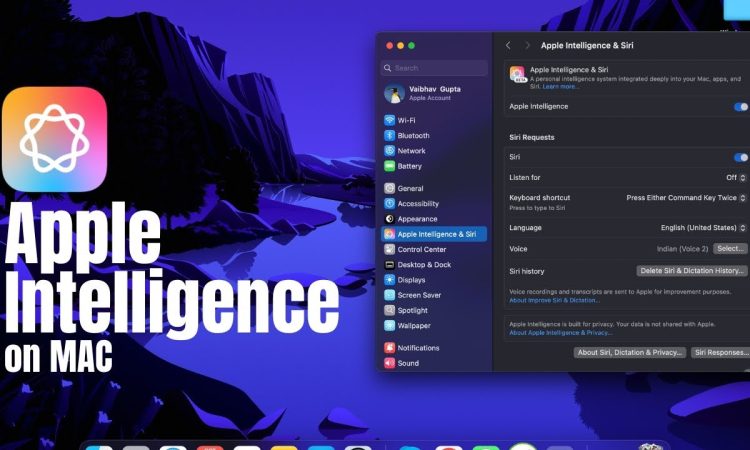
While Apple’s WWDC 2025 may have wowed us with its flashy previews of AI-boasting feature upgrades across its ecosystem, for long-time macOS users, beneath the sparkle, the foundation seems to be rotting.
Sure, macOS 26 is going to bring smarter AI services to the Mac—including on-device ChatGPT, better Siri context comprehension, and more intelligent automation between apps—but the fact of the matter is this: Apple needs to refocus on its core product.
Despite its overall sci-fi pretensions, macOS has gradually become known for ignoring the little details. Common bugs, erratic system performance, slow speeds on older computers, and cluttered UI elements have led macOS to feel more bloated than polished. And while Apple is singing about the AI renaissance, many faithful customers are asking a difficult question:
If Apple can’t get the basics right, can you trust AI to take the wheel?
The Foundation Is Faltering
There was a time when Apple’s macOS operating system was a polished performer with minimalist beauty. But recent years have seen a tarnishing of the software’s luster.
- Users on forums like Reddit and Apple Support Communities have complained of longstanding issues:
- Persistent Bluetooth problems
- AirDrop failures
- Crashes in Mail, System Preferences, or both
- Even the latest M-series Macs aren’t immune to kernel panics or sleep/wake hiccups
And it’s not just anecdotal.
- More and more developers and IT professionals report:
- An increase in defects with each release
- Lack of effective fixes in updates
Even macOS Ventura and Sonoma, despite introducing Stage Manager and Continuity Camera, received criticism for:
- Battery draining
- User interface lag
- Heavy background processes
For a company that prides itself on hardware-software integration, macOS is beginning to feel like the fragmented mess Apple once mocked in Windows.
Artificial Intelligence Can’t Paint a Crumbling Roof
With macOS 26, Apple’s new AI initiative—under the umbrella of “Apple Intelligence”—is poised to take over almost everything in the OS.
- Features like:
- Smart Compose in Mail
- Proactive suggestions in Calendar
- Spotlight search with natural language understanding
are already generating buzz.
On paper, it’s impressive.
In truth, it may distract from deeper performance problems.
The true danger lies in assuming that AI can be a magic fix. While it can boost user experience and productivity, it is only as effective as the platform it’s built on. If:
- Finder crashes
- System Settings are unintelligible
- Apps behave erratically
…then generative intelligence becomes just another layer of noise.
“It’s like activating the autopilot on a car with bad brakes,”
one Mac developer wrote.
“Don’t try to add autopilot until you fix the handling.”
Apple’s UX Philosophy at a Crossroads
Apple once defined ease of use and performance. Today, its design decisions can be baffling.
- The new System Settings interface in Ventura and Sonoma, redesigned to match iOS, was widely considered less intuitive on desktop screens.
- Intended to unify experience across devices, it instead ignored the context and complexity of desktop workflows.
This iOS-ification of macOS has sparked criticism.
- macOS is more than an interface; it’s the platform of choice for professionals:
- Designers
- Developers
- Musicians
- Editors
These users rely on control, consistency, and predictability. The slow erosion of this reliability feels like a betrayal.
Can AI Rescue macOS From Itself?
If Apple has bold AI plans, it must first define AI’s role:
- Will AI assist users in doing tasks?
- Or will it replace decision-making, possibly at the expense of user control?
There’s a fine line between convenience and control.
A Promising Use of AI?
One potential path, as proposed by observers, could be:
“Teach AI to diagnose and correct problems in the environment behind the scenes.”
For instance:
- If battery drains due to an unoptimized background task, AI could:
- Detect it
- Resolve it
- Notify the user
- If Wi-Fi fails, AI could:
- Run diagnostics
- Apply a fix
- Explain what happened
This kind of intelligent, self-healing macOS would be genuinely useful.
But even here, AI must be rooted in a reliable operating system.
Without that, it’s just another bandage over broken code.
Users Crave Stability, Not Just Intelligence
If there’s one common request among Apple users, it’s this:
Stability and consistency.
The hardware, especially with the M2 and M3 chipsets, is exceptional. But no amount of silicon can compensate for poor software decisions.
With macOS 26, Apple has a rare opportunity:
- Fix legacy apps
- Optimize system-level functions
- Reduce bugs in updates
- Deliver a user experience that just works
Before AI earns our trust, Apple needs to earn back the faith of its hardcore macOS user base.
A Fork in the Road
As macOS approaches nearly two decades since the Intel transition, the operating system has reached a mature phase.
But maturity shouldn’t mean complacency.
- Rivals like Microsoft are embedding robust AI in Windows.
- Linux distributions continue to improve in performance and polish.
The Choice Before Apple:
Apple can:
- Double down on AI, risking alienation of core users
- Rebuild what made macOS special
- Ideally: Do both.
But if one must be prioritized, it should be the basics:
- Stability
- Speed
- Battery life
- Intuitive UI
Let the bells and whistles wait until the foundation is solid.
Conclusion: It’s Time to Listen
Apple still has a massive, loyal community. That loyalty was not built on marketing—
It was built on decades of reliable, visionary technology.
If macOS 26 is to be a turning point, it must start with one thing:
Admit the cracks in the foundation—and commit to fixing them.
Otherwise, perhaps it’s time to let AI take control—
Because the humans behind macOS seem to have lost the plot of what once made it exceptional.








