
July 15, 2025
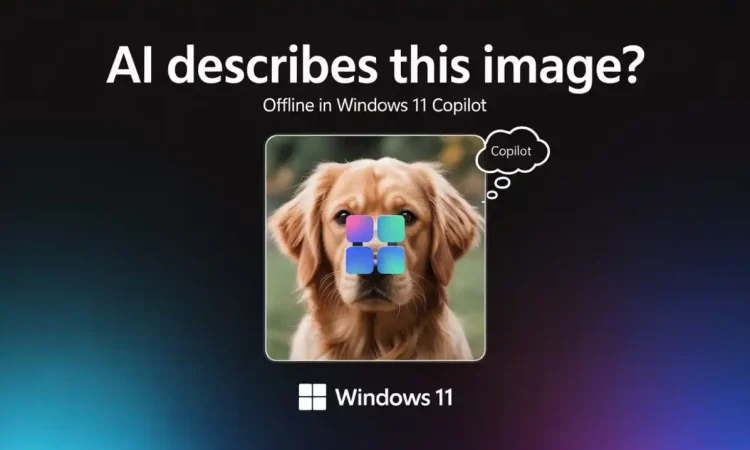
Microsoft is going all-in on AI thanks to a new experimental feature that promises to dramatically improve accessibility and productivity for next-generation users of its Copilot Plus PCs. Called “Describe Image,” the feature is currently in testing and will allow AI to generate natural language descriptions of images that appear on your screen — providing a tantalizing glimpse into a future where AI offers a more intuitive human-computer interaction experience.
A New Layer of Visual Reasoning
The “Describe Image” function, as its name suggests, uses AI to analyze and describe the contents of any images being shown on a user’s screen. This includes:
- Screenshots
- Pictures
- App windows
- Web pages
- UI elements
Built on advanced vision-language models, the feature automatically generates a human-readable explanation of what is visible in the currently displayed image.
How It Works
Users can simply right-click on an image and select “Describe Image” from the context menu. Within seconds, the AI produces a textual description listing:
- Main visual elements
- Contextual surroundings
- Emotional cues
Example:
For an image of a crowded beach at sunset, the AI might respond:
“A lively beach scene at dusk, with people swimming, walking, and watching the sunset under a partly cloudy sky.”
Accessibility First
Microsoft has a strong history of promoting digital accessibility, and Describe Image could be a breakthrough tool for visually impaired users. It improves:
- Screen reader support by providing real-time AI-generated image descriptions
- Navigation of visual content in documents, websites, and applications
Bridging the Alt Text Gap
Although alt text has been a traditional solution for image descriptions, it is often missing or poorly written. Microsoft’s AI addresses this by:
- Generating on-the-fly captions where none exist
- Making visual information more universally accessible
The company is actively consulting with accessibility advocacy groups to ensure compliance with international standards.
Copilot Plus PCs: The Ideal AI Platform
The feature is currently being tested exclusively on Microsoft’s Copilot Plus PCs — a high-end category of Windows laptops equipped with AI silicon for real-time local processing.
Key Benefits of Copilot Plus PCs:
- Built-in Neural Processing Units (NPUs) from Qualcomm, Intel, and AMD
- Designed for AI workloads without compromising performance or battery life
- Enhanced user privacy with on-device inference
This environment makes it the perfect testbed for features like Describe Image, which require low-latency, secure processing.
Under the Hood: Technology Stack
Although Microsoft has not officially disclosed the technical stack, researchers believe it leverages:
- Azure OpenAI’s multi-modal GPT models
- Custom image-captioning systems built on:
- CLIP (Contrastive Language-Image Pre-training)
- BLIP (Bootstrapped Language Image Pretraining)
These models are trained on large datasets of image-caption pairs and are capable of:
- Understanding spatial relationships
- Distinguishing between objects
- Recognizing color schemes and actions
By training the models on Windows UI data, Microsoft has extended their utility to describe:
- Software buttons
- Navigation menus
- App interfaces
Applications in Productivity and Education
Beyond accessibility, Describe Image serves as a tool for enhancing learning and workflow efficiency:
In Education:
- Helps students interpret visual data like charts or historical images
- Aids understanding without requiring additional context
In Business:
- Streamlines image review for graphic designers, marketers, and journalists
- Automates image tagging and identification in large datasets
Use Case:
A project manager reviewing QA screenshots can use Describe Image to generate summaries and quickly flag important visuals. An educator building e-learning content can ensure all imagery is alt text-enabled through AI descriptions.
Early Feedback and Future Improvements
Though still in testing, early reactions are largely positive. Users praise its:
- Accuracy in many contexts
- Speed and ease of use
Identified Challenges:
- Struggles with ambiguous or metaphorical visuals
- Occasional misidentification (e.g., stylized logos mistaken for generic icons)
Microsoft has invited testers to submit feedback, which will help refine the system. Future updates may include:
- Voice support, allowing verbal descriptions through Windows Narrator
- Enhanced privacy controls and local-only inference options
- Optional cloud-based enhancements for improved model accuracy
Microsoft’s Broader AI Vision
Describe Image is part of Microsoft’s strategy to integrate AI deeply into the Windows ecosystem. Copilot is evolving from an assistant to a collaborative AI partner capable of:
- Perceiving
- Understanding
- Generating cross-modal content
The company emphasizes its commitment to responsible AI, focusing on:
- Transparency
- User control
- Ethical deployment, particularly in accessibility-focused features
The Road Ahead
Currently, Describe Image is only available to select users of Copilot Plus PCs. However, a wider release is expected later this year, including:
- Expanded language support
- Deeper integration across Windows 11 and Microsoft 365
- Enhanced motif recognition and personalization
If widely adopted, Describe Image could become a signature Copilot feature, turning static images into interactive, searchable, and actionable content — further establishing Microsoft as a leader in accessible and intelligent computing.
Conclusion
While it may appear as a minor addition, Describe Image represents a major leap forward in how machines process and interpret visual content. By integrating this capability into Copilot Plus PCs, Microsoft is forging a smarter and more inclusive digital landscape—where every image can speak, and every user can listen.








