
Adobe’s Premiere App for the iPhone Promises Desktop-Level Video Editing
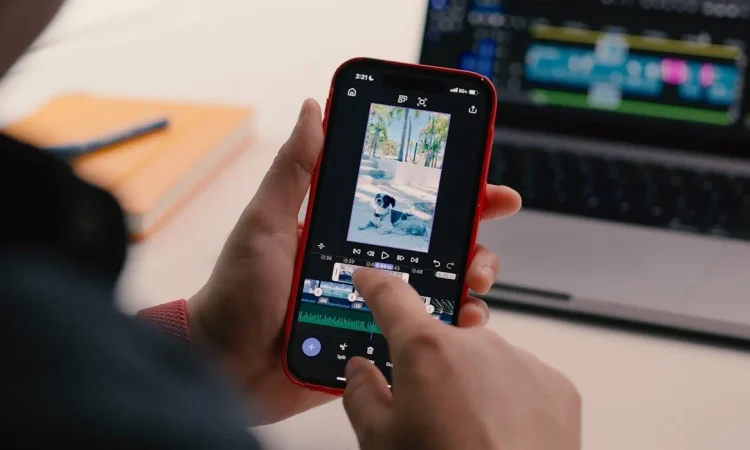
Adobe, the popular manufacturer of creative software and tools, is making a big play in mobile content creation. Adobe’s professional video editing software, Premiere Pro, has long been one of the most popular programs used by professionals around the world to create everything from feature-length films to web series. This move is a continuation of Adobe’s commitment to bridge the gap between desktop and mobile, as the company gears up to make professional-quality tools easier for users to manipulate on the go.
Adobe has long been the industry leader in video editing on the desktop with products like Premiere Pro and After Effects. Premiere Pro, in particular, has been favored by filmmakers and content creators across YouTube for its powerful timeline editing, advanced effects, and color grading. With the iPhone version, Adobe now extends this level of sophistication to a device that millions of people carry in their pockets every day.
A New Era of Mobile Editing
The mobile editing industry has dramatically expanded in recent years. Applications like iMovie, LumaFusion, and CapCut have drawn millions of users with powerful yet easy-to-use video editing tools. Adobe’s decision to bring Premiere to iPhone is a calculated effort to tap into this market, leveraging Adobe’s strong brand reputation.
Premiere for iPhone is not simply a miniaturized version of the desktop program. Adobe built the app for mobile workflows.
- The interface is tailored to touch, making it easier to browse clips, add effects, and manage timelines on a smaller screen.
- Cloud-based features let you start a project on your iPhone and continue editing on a desktop through Adobe Creative Cloud.
- This cross-device functionality ensures editors retain flexibility while maintaining the quality and complexity of their work.
Premiere for iPhone: Features Highlights
Premiere for iPhone offers a collection of features for both industry professionals and home enthusiasts. Key highlights include:
- Multi-track Editing
- Edit multiple video and audio tracks on the same screen, a feature traditionally reserved for desktop software.
- Enables sophisticated workflows, including music layering, sound effects layering, and visual effects layering.
- Advanced Effects and Transitions
- Incorporates Premiere Pro’s signature cinematic transitions and color filters.
- Users can enhance videos visually for a professional finish.
- AI-Based Tools
- Powered by Adobe Sensei, Adobe’s AI platform.
- Automatically suggests edits, transitions, and audio adjustments.
- Streamlines the editing process, making it faster and more intuitive, especially for beginners.
- Cloud Connectivity
- Projects sync to Adobe Creative Cloud, allowing work across multiple devices.
- Editors can start on iPhone and finish on a desktop with full access to advanced tools.
- Direct Export and Sharing
- Export directly to YouTube, Instagram, TikTok, and other platforms.
- Choose the best format and resolution for professional-looking content.
Why This Matters for Creators
Premiere on iPhone is a game-changer for content creators, offering unprecedented flexibility.
- Journalists can shoot, edit, and post news footage almost immediately.
- Social media influencers can use professional editing features without needing a desktop.
- Aspiring filmmakers can now use a single device for the entire video production workflow, democratizing filmmaking.
The app could lead to a surge in mobile-generated content, potentially transforming how videos are produced and consumed globally.
The Rivalry with Other Mobile Editing Apps
While iPhones already have many video editing apps, Premiere stands out due to its professional lineage:
- LumaFusion: Popular for multi-track editing but lacks Adobe’s AI-driven tools and cross-device workflow.
- iMovie: Beginner-friendly but limited in effects and timeline complexity.
Premiere for iPhone bridges this gap, providing both accessibility and professional-grade features in one app.
Challenges:
- Ensuring smooth performance on iPhone hardware, which is less powerful than desktops.
- Adobe addresses this with proxy editing, allowing lower-resolution files for editing while rendering the final video in full quality.
Pricing and Availability
- Available on the App Store under an Adobe Creative Cloud subscription.
- Free tier with limited features is available; full access requires a subscription.
- Seamless integration with desktop Creative Cloud makes it ideal for existing Adobe users.
- Adobe plans regular updates, adding new features and improvements over time.
Looking Ahead
Premiere on iPhone represents a broader trend toward mobile-first content creation.
- Smartphones are evolving from recording devices to full production tools.
- Mobile workflows are becoming increasingly important for professional-grade editing.
- Early adopters, including creators like Lucy Cork and Asia Whiteacre, are already exploring its potential.
For creators, this launch removes limitations and allows more creative freedom without relying on a computer. The industry is shifting toward fluid, professional mobile workflows, which could reshape storytelling and content consumption globally.
Conclusion
The release of Adobe Premiere for iPhone is a major milestone in mobile content creation.
- Offers professional-grade tools, cloud integration, and AI-powered features in a mobile-centric interface.
- Benefits both experienced editors and newcomers looking to explore video production.
- Blurs the lines between desktop and mobile editing, ushering in a new era of flexible, high-quality video creation.
With Premiere for iPhone, creators have the tools and freedom to produce professional content from the palm of their hand. This launch marks only the beginning of a new chapter in mobile video editing.








